 ENG
 РУС
 O'Z
Account and Data Deletion


App: Uzbekistan Airways
How to delete your account in the app
- Open the Uzbekistan Airways app and sign in to your account.
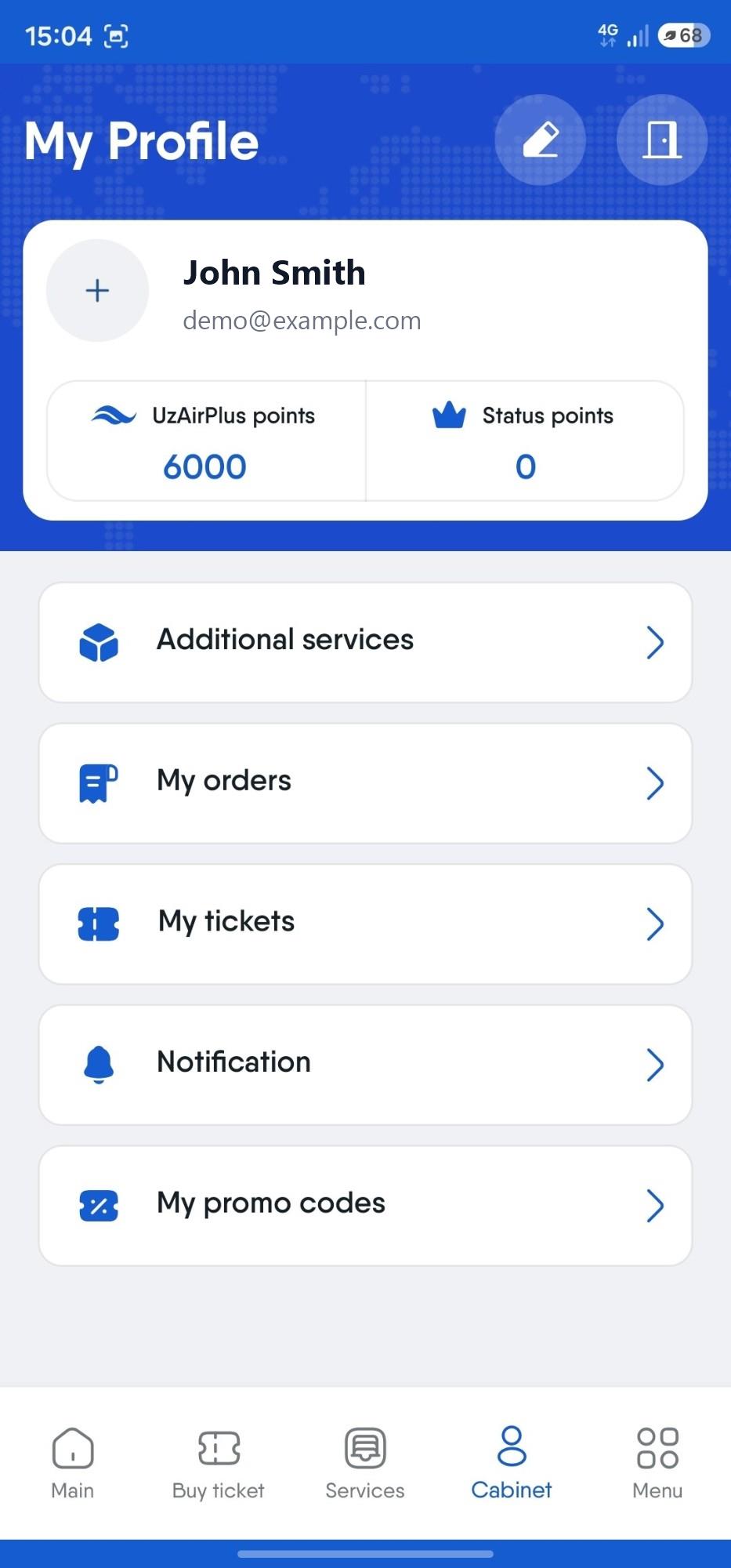
- Tap the "Cabinet" tab at the bottom of the screen.
- Tap the "Edit profile" icon (pencil) at the top of the screen.
- Scroll down and tap the "Delete profile" button below the edit form.
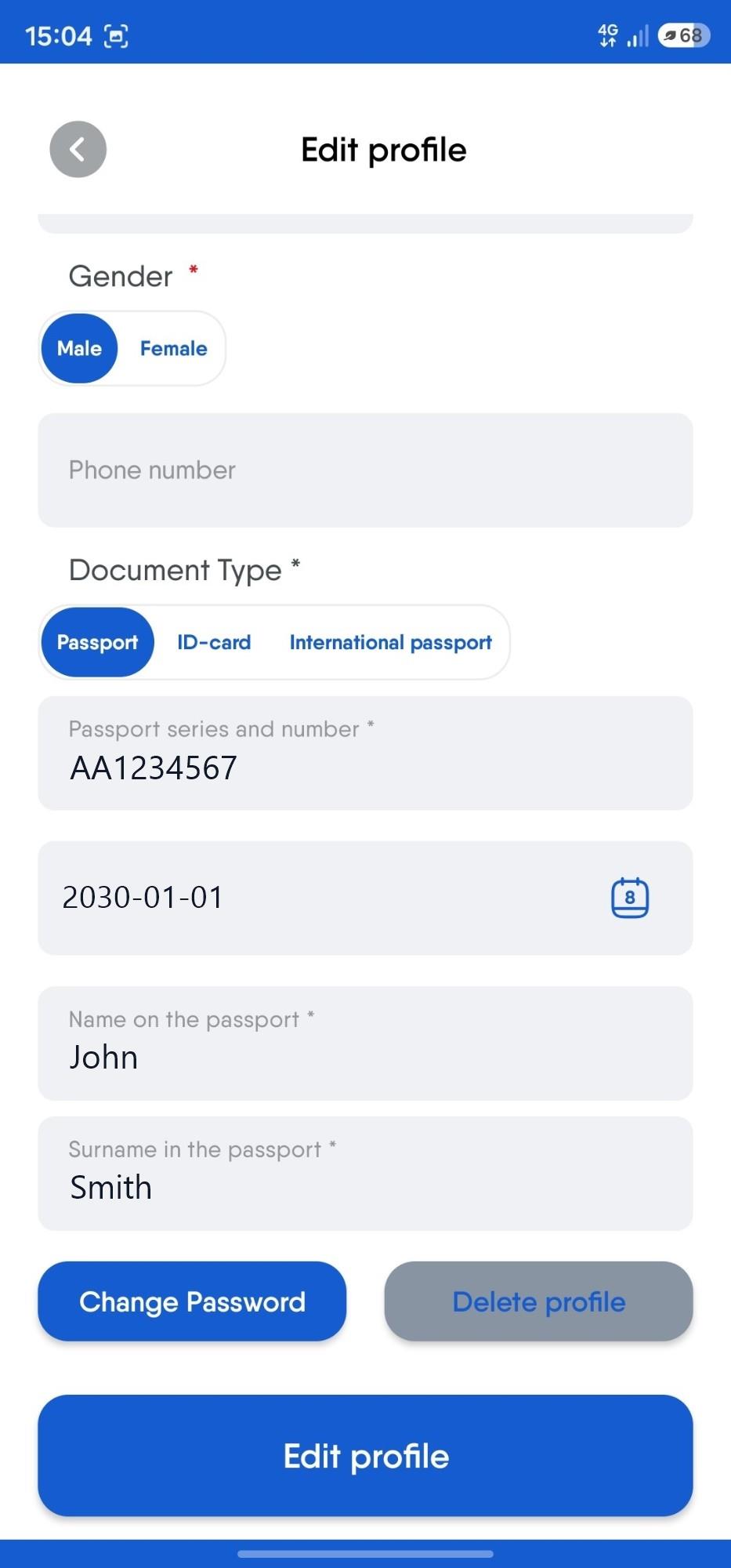
Your account is deleted immediately after you tap the button.
Can't sign in to the app?
Send a request to e_commerce@uzairways.com with the subject "Uzbekistan Airways account deletion". Send the email from the email address listed in your account. This ensures that only the account owner can delete it. We will process your request and delete the account within 7 business days, then notify you by email.
What data is deleted
- first and last name;
- date of birth;
- email address;
- phone number;
- ID card number and expiry date;
- passport number and expiry date;
- international passport number and expiry date;
Once deleted, the account cannot be restored in the app.
What data is retained
UzAirPlus loyalty program data. The member number and points are stored in a separate loyalty program service and are not deleted along with your app account. We only unlink them from the account being deleted. If you create a new account and sign in with your loyalty program login and password, the data will be linked again.
Device identifier. It is required for the app to work and is retained after your account is deleted. It is not linked to your personal data, but it remains tied to the device itself and is used, for example, to track promo code usage and to support certain app features.
Booking and payment records. They may be retained to the extent required by law and for accounting purposes.
Contact
For questions about data deletion: e_commerce@uzairways.com